
Set Up Forum Notification Preferences
Created On September 04, 2023
Last Updated On September 04, 2023
Every user in our LMS can choose their preferences for how the system will notify them of new forum activity.
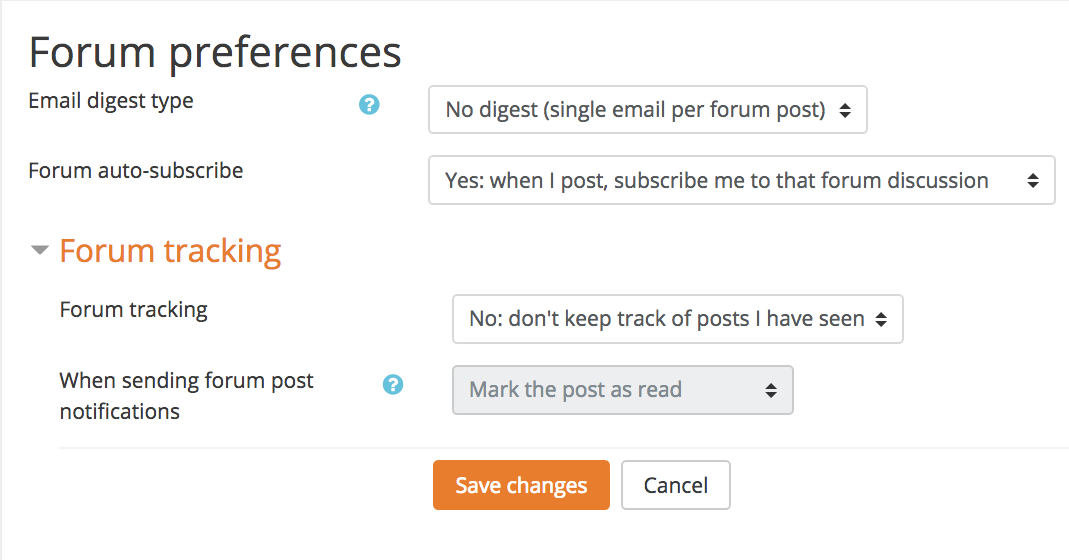
Tip: If your course uses a lot of discussion forums, suggest that your students set their digest mode to "Complete" and enable "Forum tracking." This can help students keep up with forums without getting an overwhelming or distracting amount of email.
STEPS
SET UP FORUM NOTIFICATION PREFERENCES
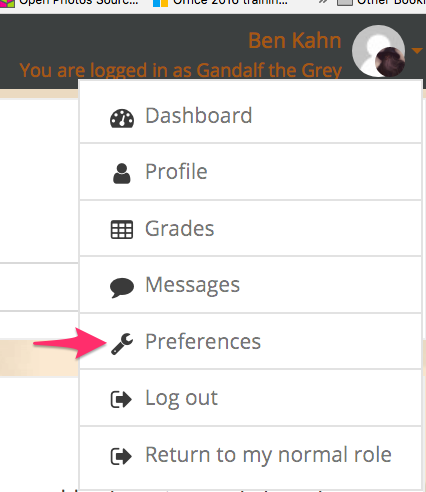
- Click on your username in the upper right corner of any Moodle page and select Preferences from the drop-down.
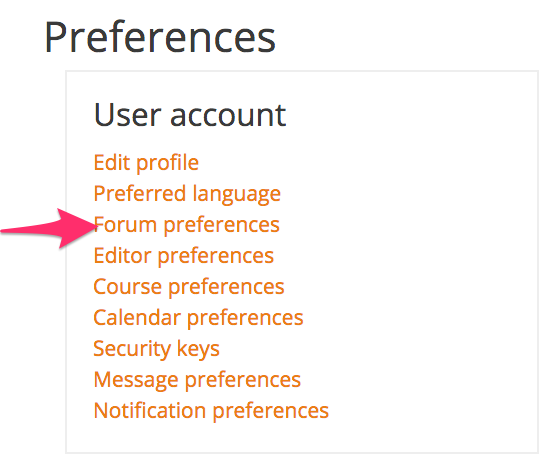
- Click Forum Preferences from the "User account" section.
- Set your preferences and click Save.
arrow_right_alt
Go back all guides